Security
Built to be trusted with production
Connecting a tool to your cluster or your cloud is a big step. VizTopo is read-only until you switch on write mode for a connection, has no way to delete or terminate anything, checks and shows every change before you confirm it, and records everything in an audit log. Credentials are encrypted with AES-256-GCM on the server, never sent to your browser and never logged, and certificates are always verified.
Read-only until you say otherwise
Each connection starts read-only, with credentials that can only read: a Proxmox token with the built-in PVEAuditor role, an IAM policy of Describe calls. Control actions only exist after someone allowed to use Control mode switches on write mode for that connection, by typing its name, and they can switch it off again at any time.
Nothing is ever deleted
VizTopo has no way to delete or terminate a VM, container, instance, disk, snapshot or network. The only thing it ever removes is a port rule you chose to close, after you confirm it. Anything it creates for you, a clone or a security group, stays until you remove it yourself.
Every change is checked, then confirmed
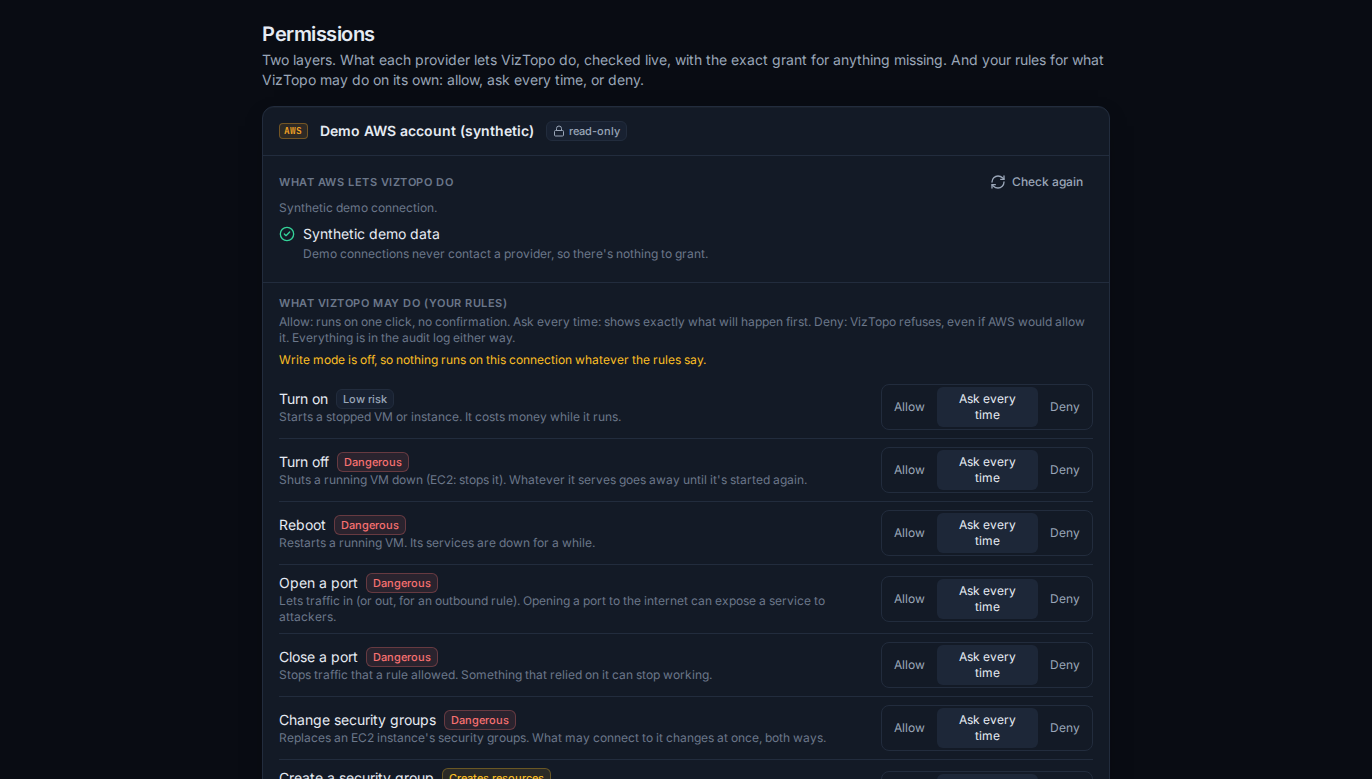
Before anything runs, VizTopo checks that Proxmox or AWS allows it (AWS dry-runs the change), shows exactly what will change, and waits for your confirmation. Your own rules come first: set each action to Allow, Ask every time or Deny. Schedules are confirmed once when they're saved, and each run goes through the same checks.
Credentials stay on the server
- Keys and tokens are encrypted with AES-256-GCM before they're stored.
- They're never sent to your browser: it talks to VizTopo, and only the server talks to Proxmox and AWS.
- They never appear in logs.
- TLS verification is never switched off. For Proxmox's own certificates you pin the fingerprint or give VizTopo the cluster's CA.
- AWS root account keys fail the connection test: VizTopo asks for a dedicated IAM user.
Least privilege, written out for you
VizTopo gives you the exact Proxmox role or IAM policy before you connect, and its Permissions page shows, checked live, what each connection may do and the exact grant for anything missing. On AWS, changes are fenced by the viztopo-control tag; on Proxmox, each kind of change has its own small role.
People, roles and the audit log
Each workspace has one owner, who can hand ownership on, and roles with the permissions you choose: edit canvases, manage connections, Control mode, run actions, open consoles, manage schedules, workspace settings, and manage people. Everyone can see everything; roles decide who may change what. The audit log records who did what, when, to which resource and how it ended, including write-mode switches and changes to VizTopo's own rules.
Exposing Proxmox to viztopo.com
viztopo.com reaches your Proxmox from its own server. Expose only the API port, let only VizTopo's server address through your firewall (it's shown when you add the connection), and give the token only the privileges VizTopo asks for. Private and local addresses are refused.
Found a security problem? Email contact@zbackroom.com. What viztopo.com stores, and why, is in the privacy notice.
Updated